
Creating a Honeypot
Initial Creation
IMPORTANT
Please make sure the Honeypot role is at the top of your role list before creating or editing a Honeypot, and that the bot has all required permissions. For more details on this, see the quickstart guide.
To create a Honeypot, use the /honeypot create command with the channel you'd like to set up to be a honeypot, as shown in the image below: 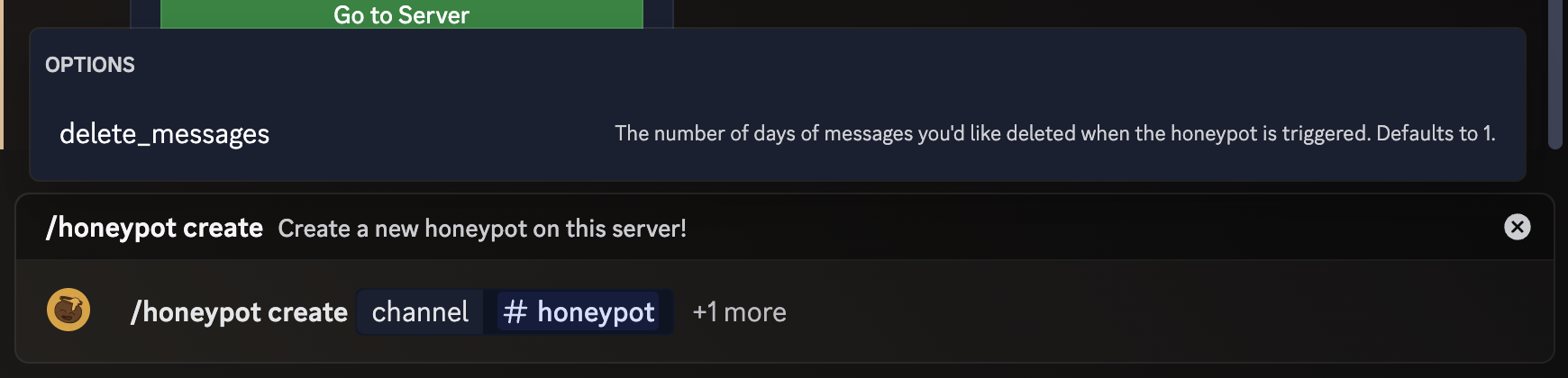
Options and Customisation
You can optionally specify the delete_messages option to control how many days worth of messages are deleted when the honeypot is triggered. Setting this to zero will result in no messages being deleted.
By default, /honeypot create creates a honeypot that bans members and deletes all messages they have sent in the last day. This can be edited to timeout the member or provide them with a role instead. To see more about configuring your newly created Honeypot, check out the Editing a honeypot page.