
Editing a Honeypot
Introduction
IMPORTANT
Please make sure the Honeypot role is at the top of your role list before creating or editing a Honeypot, and that the bot has all required permissions. For more details on this, see the quickstart guide.
By default, the /honeypot create command creates a new honeypot that bans members and deletes all messages they have sent in the last day.
Honeypot supports three honeypot types:
- Soft ban honeypots: The default. This bans and subsequently unbans the member who triggers the honeypot, optionally deleting up to 5 days of their messages.
- Ban Honeypots: This bans the member who triggers the honeypot and optionally deletes up to 5 days of their messages.
- Timeout Honeypots: This times out the member who triggers the honeypot for a specified time.
- Role Honeypots: This provides a specified role to the member who triggers the honeypot.
In addition to performing the action, all Honeypots log their action to the Honeypot logging channel for the server. You can view more details on this on the Logging Configuration page.
Editing a Ban Honeypot
You can edit an existing Honeypot to be a ban honeypot using the /honeypot edit ban command, shown below:
This requires you to specify the channel containing the honeypot to edit, and an optional number of days in delete_message, specifying the number of days worth of messages to delete.
Editing a Timeout Honeypot
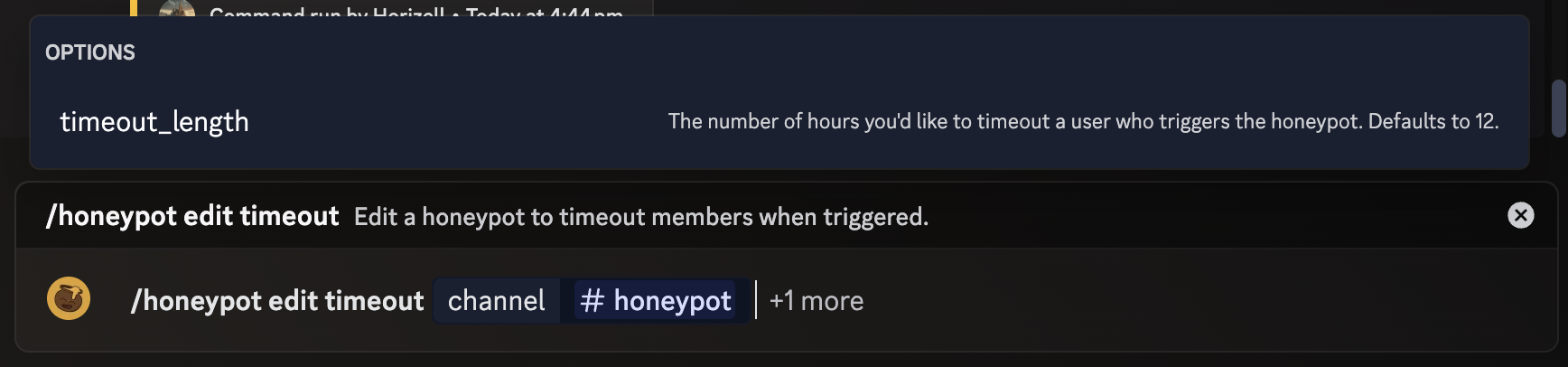
You can edit an existing Honeypot to be a timeout honeypot using the /honeypot edit timeout command, shown below:
This requires you to specify the channel containing the honeypot to edit, and an optional number of hours in timeout_length, specifying how long the timeout should last.
Editing a Role Honeypot
You can edit an existing Honeypot to be a role honeypot using the /honeypot edit role command, shown below:

This requires you to specify the channel containing the honeypot to edit, and the role to provide in the role parameter. You must have the permission to assign this role yourself. The honeypot will also fail if the Honeypot role is not above the specified role on your role list.